Add a business unit
How re:target connects to a Marketing Cloud business unit, the access it requires, and what to prepare in advance.
re:target connects to one business unit at a time through an installed package you create in Marketing Cloud Engagement. It installs nothing in your account: the package is an API integration you create and control, and it grants read access only.
Prerequisites
- A Marketing Cloud administrator, to create the installed package.
- A re:target account. re:target assess is free for one business unit; what each offer includes is on the pricing page.
Connection steps
- 01Create an installed packageIn Marketing Cloud, go to Setup → Apps → Installed Packages → New, add an API Integration component and grant the six read permissions below.
- 02Copy the credentialsFrom the API Integration, copy the Authentication Base URI, the Client ID and the Client secret.
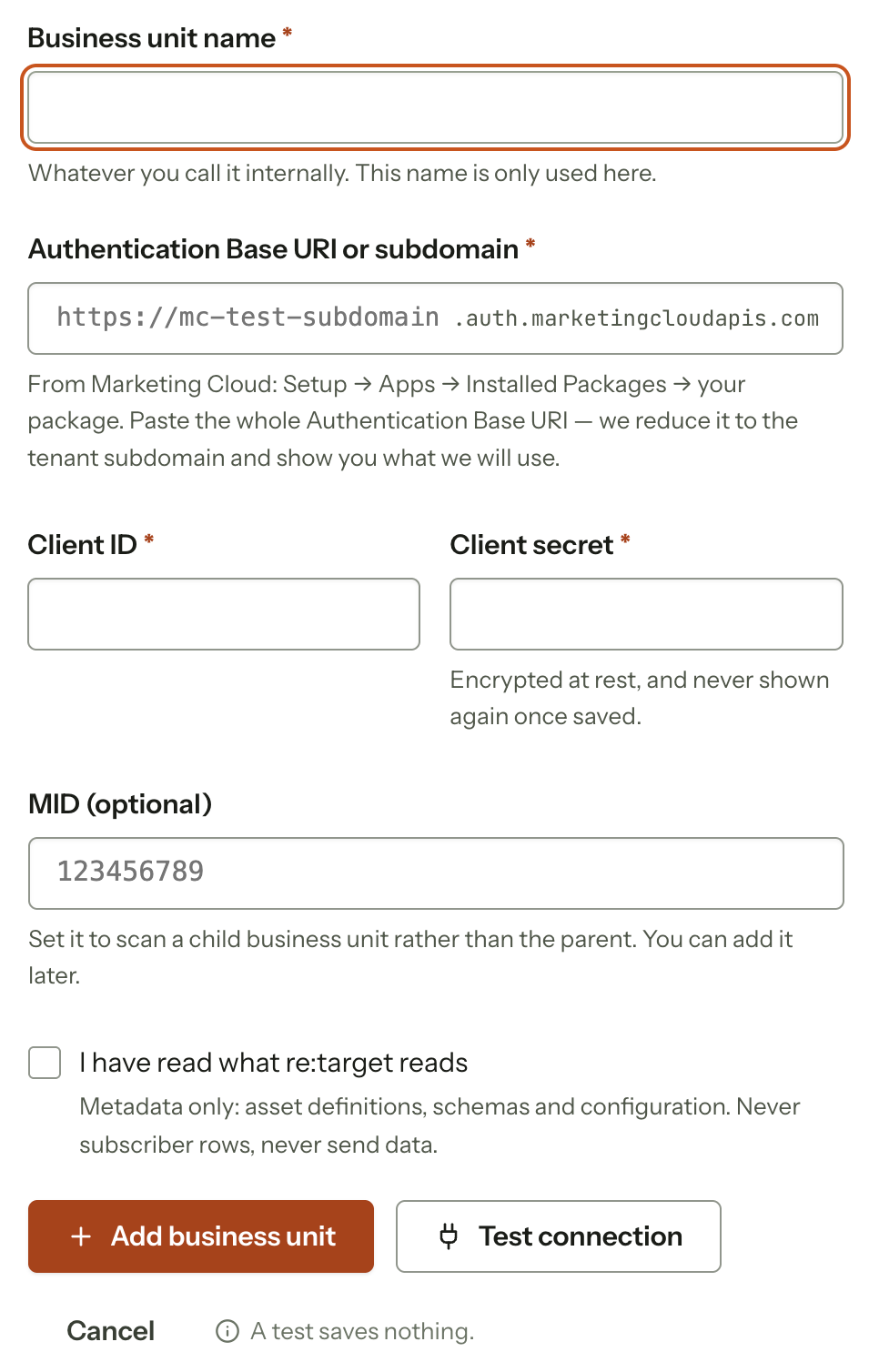
- 03Connect in re:targetPaste them into the connect form. The whole Authentication Base URI is fine: re:target reduces it to the tenant subdomain and shows what it will use. To scan a child business unit rather than the parent, also enter its MID, shown next to each business unit in the business unit menu in Marketing Cloud.
Read permissions
Select Read for each, and nothing else. The connect page in the app shows the same list.
| Permission | What it reads |
|---|---|
| Email and template metadata, and the folder tree | |
| Documents and Images | Content Builder asset inventory |
| Saved Content | Content blocks used in slots |
| Automations | Automation Studio definitions, steps and query SQL |
| Journeys | Journey Builder definitions, activities and event definitions |
| Data Extensions | Schemas, field metadata and row counts |
Read-only by design
No write, publish or send permission, and no access to subscribers, lists, contacts or tracking
data. The client ID and secret are encrypted at rest and used only to request short-lived access
tokens. Revoke the installed package in Marketing Cloud and no new token can be issued; one
already issued expires within 20 minutes. More on security.
In the app, Docs covers each screen with the exact field names.